
Aufnahmeplaner 2024 funktioniert bei Netflix nicht

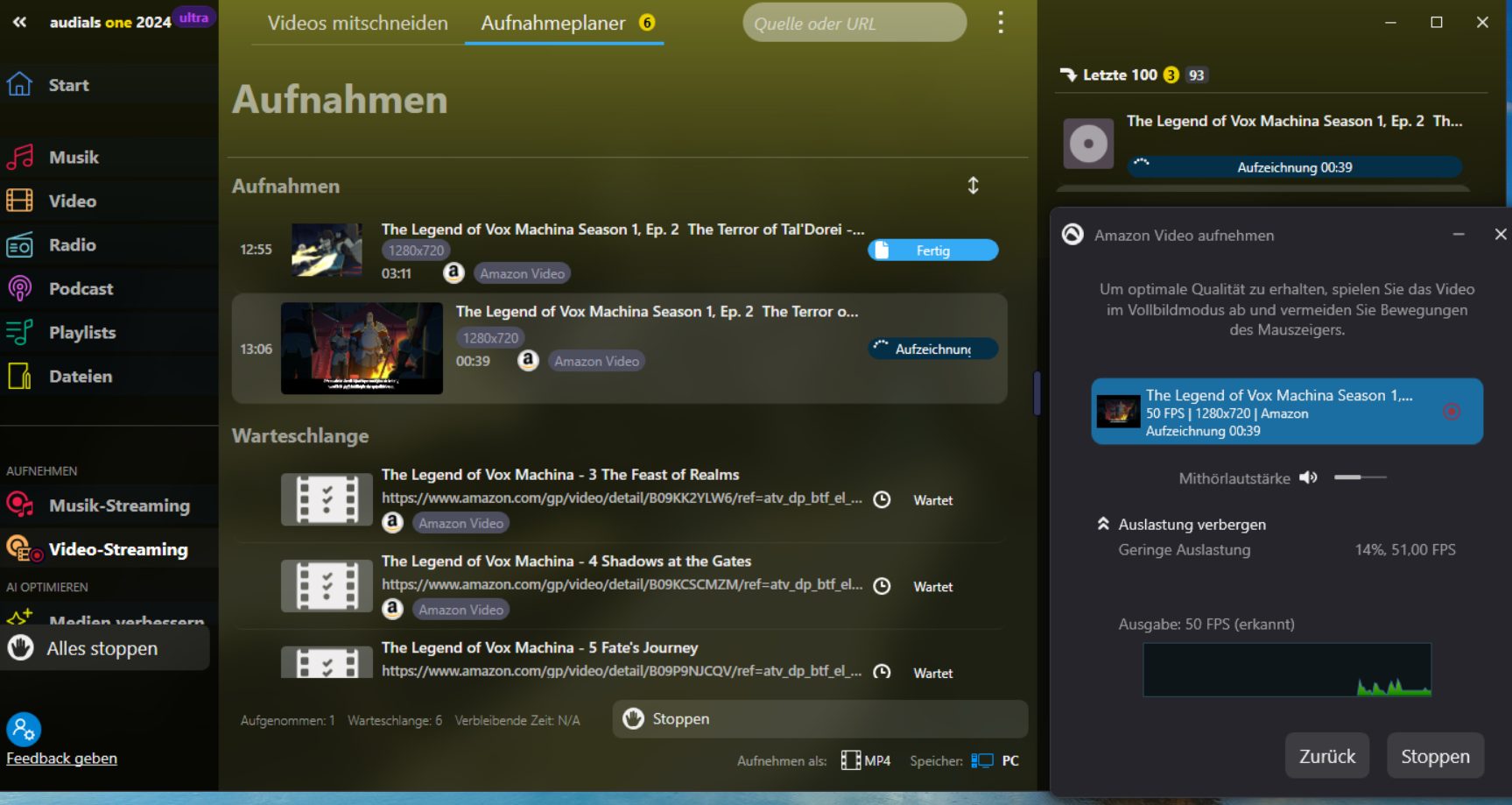
Ich habe gestern ein Upgrade von Audials Movie von 2023 auf 2024 installiert und vor der Installation natürlich Audials Movie 2023 deinstalliert. Mit dem neuen Aufnahmeplaner im Audials 2024 funktioniert er nicht. Egal ob ich 2 oder 3 oder 4 Folgen aufnehmen will beginnt auch nach dem Warten 2,3,4 Minuten keine Aufnahme und es erscheint auch kein Bild.Ich kenne mich mit dem Aufnahmeplaner und deren Bedienung aus und im Aufnahmeplaner 2023 gab es nie Probleme!!!!
-
Ich habe Erfahrung mit dieser Software und bis zu Audials 2023 hat Alles funktioniert. Jetzt habe ich auf demselben Laptop das Update gemacht und auch bei mir bleibt der Bildschirm schwarz wenn ich die Filme im Aufnahmeplaner abspielen will. Das ist eindeutig ein Fehler der Software und der Support reagiert nicht....Ich werde die Software nicht weiter empfehlen und auf den möglichen Plattformen im Internet davor warnen.
-

Guten Tag,
bitte die Supportabteilung kontaktieren (support@audials.com), um die Situation klären zu können.
Vielen Dank!
-
Hallo Mirela Radu, Ich habe laut Ihren Anweisungen die Software nochmals entfernt und auch die Registry durchsucht. Alle von Ihnen aufgeführten Registryreste waren aber nicht vorhanden. Auch die alten Ordner im Windows Explorer habe ich gelöscht und dann die Software nochmals installiert. Es hat sich kein Problem gelöst und die Aufnahmen im Aufnahmeplaner sind weder bei Netflix noch bei Amazon möglich. Nach dem Klick auf Warteschlange abspielen und aufnehmen bleibt das Vorschaufenster schwarz und der Aufnahmeplaner erkennt die Serien nicht. Mal davon abgesehen wieviel Zeit ich dafür schon brauchte finde ich es unverschämt für eine solche Software bezahlen zu müssen.
-

Kann das Problem bestätigen.
Auch bei mir startet die Aufnahme nicht. Wenn ich "Glück" habe, dann reagiert sie nach2-4 Minuten mit einem Absturz, ab und an mit einem Absturz oder bei "Pech" friert der Rechner komplett ein.
Es ist ja nicht das erste Mal, dass Audials solch Probleme (vor allem mit dem Aufnahmeplaner) macht. Schade, die Software hat einmal echt zuverlässig funktioniert.
-

Hallo,
ich habe heute gerade einen kurzen Test mit der aktualisierten Audials-Versionsnummer von der Website durchgeführt und die Aufnahme von Amazon mithilfe der Aufnahmeplaner verlief einwandfrei: der Film wurde mit Edge erkannt (das verwende ich hauptsächlich), hatte korrekten Ton, Bild und Untertitel wurden auch aufgenommen ... vielleicht könntet ihr versuchen den Support neu zu kontaktieren und ihm den Seriennamen, den Sie aufnehmen versuchten, und die Protokolle zur weiteren Untersuchung mitteilen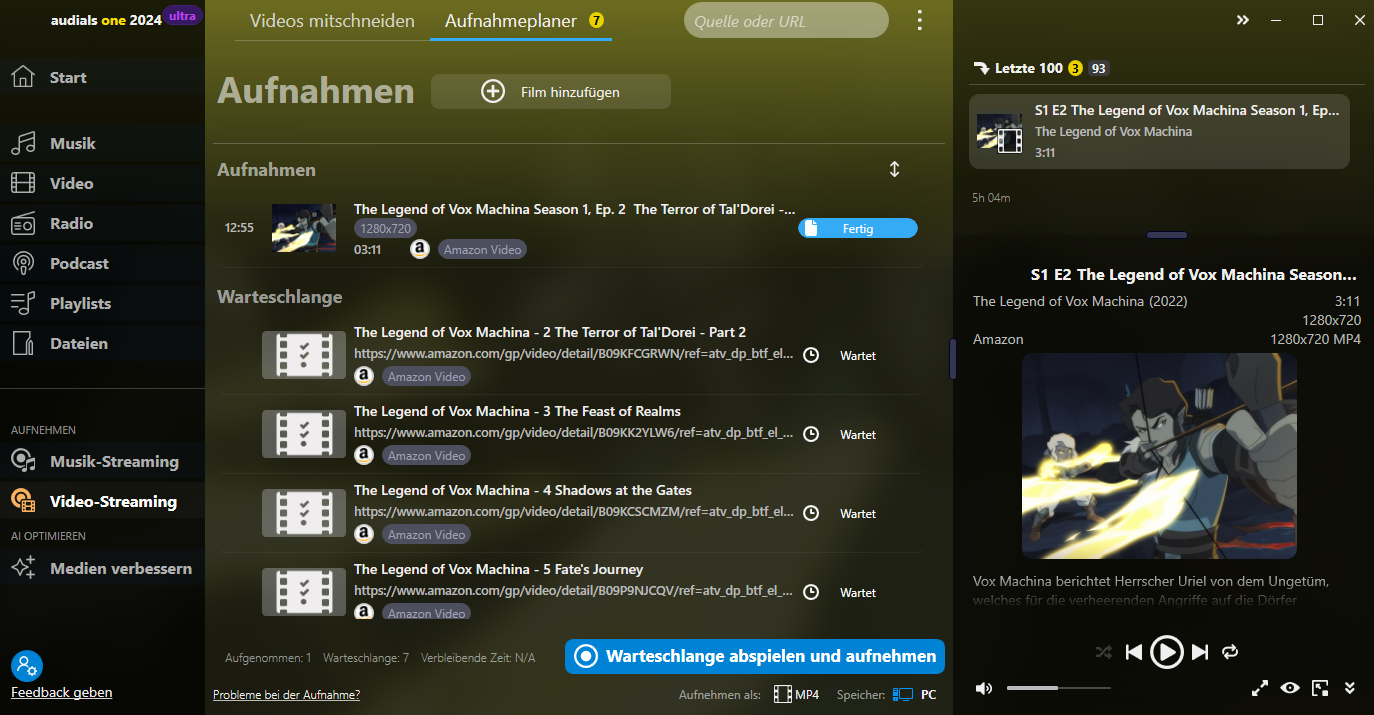
-
Ein neues Problem ist aufgetreten....die Amazon Prime Seite und meine Watchlist öffnet sich ganz normal. Wenn ich aber einen ausgewählten Film aufnehmen will wechselt die Seite auf Amazon.com (Amerika Amazon Prime)und mir wird mitgeteilt das ich meine Filme dort nicht sehen kann und dann auch nicht verfügbar sind. Ich befinde mich aber in Ludwigshafen und habe eine deutsche IP und habe auch kein VPN installiert!!!!! Wenn ich mit meinem normalen Browser mich in Amazon einlocke sagt er auch das ich in Deutschland bin. Jetzt habe ich gerade eben noch einmal Audials Movie installiert und das Problem bleibt bestehen. Wissen Sie wie viele Stunden ich schon benötigt habe um Ihre Software zum Laufen zu bringen?
-

Here are a few steps we can take to try and resolve this:
Check for Updates: Ensure that Audials Movie 2024 is up to date. Sometimes, immediate post-launch updates are released to fix bugs that were not caught during the initial release.
Reinstall the Software: Uninstall Audials Movie 2024, restart your computer, and then reinstall the software. This can sometimes resolve hidden conflicts from the installation process.
Check Compatibility: Verify that your system meets all the necessary requirements for Audials Movie 2024. Sometimes new versions have updated requirements that differ from previous editions.
Review Settings: Double-check the settings in the recording planner. Even though you are experienced with the tool, a new version might have subtle changes in the settings or options that are not immediately apparent.
Consult Support: Since the problem persists and deviates from the functionality experienced in the previous version, I recommend contacting Audials support directly. They might be aware of this issue and could provide a patch or workaround. You can reach them via their official support page or community forums where others might be experiencing similar issues.
Community Forums: Sometimes, user communities may have discovered workarounds for issues in new software releases. Checking forums dedicated to Audials might provide you with immediate solutions or additional troubleshooting steps.
I hope one of these solutions resolves the issue for you. If there's anything else you need help with, please let me know. https://libgenis.net


Please sign in to leave a comment.
Comments
15 comments